
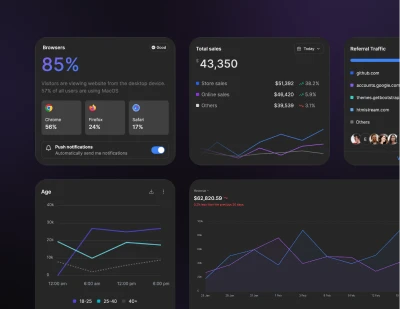
Install Preline UI with Angular using Tailwind CSS
Install Preline UI with Tailwind CSS in Angular projects, including JavaScript plugin setup, Angular configuration, global styles, and optional dependencies.
Installation
Please note that the plugin has been tested with the 22.1.3 version of the framework. The framework was installed using the standard ng new <project-name> command. Components can be created either with the ng generate component <component-name> command or by hand as a plain <name>.ts/<name>.html pair, matching Angular's own 2025 file-naming convention (used in this guide's examples).
If you are using your own project structure or a different version, pay attention to the file paths and features of your version!
Angular quick setup
If Tailwind CSS is not set up yet, start with the official Angular + Tailwind CSS guide first.
Some components rely on third-party libraries. The setup below assumes full Preline UI usage with those dependencies preloaded. If you do not plan to use those components, you can remove the related libraries from your configuration.
-
Install Preline UI
Install
prelinewith your preferred package manager.Terminalnpm install prelinePreline UI uses the Tailwind CSS Forms plugin across form components. Install it if you have not already:
npm install -D @tailwindcss/forms -
Include Preline CSS
Import Preline into
projects_root_directory/src/styles.css.styles.css@import "tailwindcss"; @import "preline/variants.css"; @source "../node_modules/preline/dist/*.js"; /* Optional Preline UI Datepicker Plugin */ /* @import "preline/datepicker-styles-utility.css"; */ /* Plugins */ /* @plugin "@tailwindcss/forms"; */ /* Preline Themes */ @import "preline/theme.css"; /* Optional Preline UI Datatable Plugin: DataTables.net renders its own search/length/paging controls alongside Preline's own; hide the native ones since they can't be disabled through DataTables options alone. */ /* .dt-layout-row:has(.dt-search), .dt-layout-row:has(.dt-length), .dt-layout-row:has(.dt-paging) { display: none !important; } */All
@importstatements must come before any other statement in the file, including@sourceand@plugin, since this is a CSS-spec requirement rather than a Tailwind-specific rule. Angular's official PostCSS-based Tailwind CSS integration enforces it strictly, and a build using@tailwindcss/postcssthrows if it is violated.See the Theme docs to learn more about Preline Themes.
-
Add type definitions for Preline
Install whichever optional third-party libraries your components need (skip the ones you do not plan to use, and drop the matching import below).
Terminalnpm install jquery datatables.net-dt lodash vanilla-calendar-pro nouislider dropzone npm install -D @types/jquery @types/lodash @types/dropzoneThen create a
global.d.tsfile for the shared window typings, for exampleprojects_root_directory/src/global.d.ts.global.d.tsimport type { JQueryStatic } from "jquery"; import type DataTables from "datatables.net-dt"; import type _ from "lodash"; import type { Calendar } from "vanilla-calendar-pro"; import type noUiSlider from "nouislider"; import type Dropzone from "dropzone"; declare global { interface Window { // Optional third-party libraries $: JQueryStatic; jQuery: JQueryStatic; DataTable: typeof DataTables; _: typeof _; VanillaCalendarPro: typeof Calendar; noUiSlider: typeof noUiSlider; Dropzone: typeof Dropzone; } } export {};preline/distis not an exported subpath of the package andIStaticMethodsis not one of its exports. The JavaScript setup step below importsHSStaticMethodsdirectly frompreline/non-autoinstead of relying on aWindowtyping for it. Only declare the optional third-party libraries you actually plan to use; remove the rest. -
Add the Preline UI JavaScript
Create a small helper that loads any optional third-party libraries you need, then
preline/non-auto, for exampleprojects_root_directory/src/app/preline.ts. Load every optional dependency before importingpreline/non-auto, because some plugins (Datatable, Datepicker, Range Slider, File Upload) check for their global at the moment that module first evaluates, and never recover if the global was not there yet.preline.tsimport type { HSStaticMethods as HSStaticMethodsType } from "preline/non-auto"; let hsStaticMethods: typeof HSStaticMethodsType | undefined; let warmup: Promise<void> | undefined; async function loadPrelineAndDeps(): Promise<void> { // Only import the optional dependencies your components actually use. const jqueryModule = await import("jquery"); window.$ = jqueryModule.default ?? jqueryModule; window.jQuery = window.$; const dtModule = await import("datatables.net-dt"); window.DataTable = dtModule.default ?? dtModule; const lodashModule = await import("lodash"); window._ = lodashModule.default ?? lodashModule; const { Calendar } = await import("vanilla-calendar-pro"); window.VanillaCalendarPro = Calendar; const noUiSliderModule = await import("nouislider"); window.noUiSlider = noUiSliderModule.default ?? noUiSliderModule; const dropzoneModule = await import("dropzone"); window.Dropzone = dropzoneModule.default ?? dropzoneModule; ({ HSStaticMethods: hsStaticMethods } = await import("preline/non-auto")); } // Re-running the whole import chain on every call would reopen an async // gap between the DOM being ready and autoInit() actually running, so // cache the resolved reference and let repeat calls initialize synchronously. export function initPreline(): void { if (hsStaticMethods) { hsStaticMethods.autoInit(); return; } warmup ??= loadPrelineAndDeps(); warmup.then(() => hsStaticMethods?.autoInit()); }Dynamic
import()calls are used deliberately instead of static top-level imports. Within a single module, static imports are hoisted and evaluated as one batch before any of that module's own top-level statements run, sowindow.$ = ...; import "preline";in the same file does not reliably guarantee the assignment happens first. Sequencing everything behind realawaits removes that ambiguity. -
Reinitialize on route changes
Re-run Preline UI initialization after Angular route changes in
projects_root_directory/src/app/app.ts.NavigationEndfires once Angular has decided on a route, not once it has finished patching the DOM for it, so callinitPreline()fromafterNextRender()so it only runs once the view is actually in the document, rather than from a fixedsetTimeoutdelay, which is not reliable.app.tsimport { Component, DestroyRef, Injector, OnInit, afterNextRender, inject } from "@angular/core"; import { takeUntilDestroyed } from "@angular/core/rxjs-interop"; import { NavigationEnd, Router, RouterOutlet } from "@angular/router"; import { filter } from "rxjs/operators"; import { initPreline } from "./preline"; @Component({ selector: "app-root", imports: [RouterOutlet], templateUrl: "./app.html", }) export class App implements OnInit { private readonly router = inject(Router); private readonly injector = inject(Injector); private readonly destroyRef = inject(DestroyRef); ngOnInit(): void { this.router.events .pipe( filter((event): event is NavigationEnd => event instanceof NavigationEnd), takeUntilDestroyed(this.destroyRef) ) .subscribe(() => { afterNextRender(() => initPreline(), { injector: this.injector }); }); } }The subscription is set up in
ngOnInit, not the constructor (Angular's own style guide reserves the constructor for dependency injection), and is torn down automatically viatakeUntilDestroyedrather than left as a bare, unmanagedsubscribe()call.
Optional Preline UI styles
Preline UI ships with a small set of opinionated base styles. If you want them in your project, add them to your CSS file. These defaults used to come bundled with Tailwind CSS v3, so they are still available as an optional layer in Preline UI.
                          /* Adds pointer cursor to buttons */
                          @layer base {
                            button:not(:disabled),
                            [role="button"]:not(:disabled) {
                              cursor: pointer;
                            }
                          }

                          /* Defaults hover styles on all devices */
                          @custom-variant hover (&:hover);
Specific guide
Continue with a focused guide for wiring Preline UI JavaScript plugins into this framework.